Wan VAE Encode
Wan VAE Encode turns a video's frames into latent data: a numeric representation that compatible Wan Nodes can process. It encodes the whole clip and adds padding where the model requires it.
Studio uses the VAE from the official Wan 2.1 release.
The Latent output contains numeric data, so the encoder has no picture preview.
Encode a clip
- Add Wan VAE Encode to your Graph.
- Expose Video as an input port in the sidebar.
- Connect an RGB video from Video Input or another Node to Video.
- Connect Latent to Latent on Wan 2 VAE Decode, or to a compatible Wan Node's Latent I/O Model Extension.
- Run the receiving Node to encode the clip and use its latent data.
The encoder has no settings. To change the source dimensions first, use Resize Video.
Compression ratio and latent convention
This Node uses the 16-channel VAE shared by Wan 2.1 and Wan 2.2 A14B. It reduces each spatial axis by 8× and the frames after the first by 4×. These are axis compression factors, not a reduction in element count, byte size, or encoded file size.
For a padded clip with F frames, height H, and width W, the output shape is [16, 1 + (F − 1) / 4, H / 8, W / 8]. The axis order is channels, time, height, width, with no batch axis. The first frame gets its own latent time step; each following group of four frames adds one. Decoding T latent time steps produces 4 × (T − 1) + 1 frames, not 4 × T.
A latent shaped [16, T, H, W] contains 16 × T × H × W Float32 values, at four bytes per value. RGB input has three channels; the latent has 16, so multiplying the axis factors does not give the total storage reduction.
Studio converts input RGB bytes to the range [-1, 1], then uses the encoder's predicted latent mean rather than a random sample. For channel c, normalization is (raw[c] − mean[c]) / std[c]. Wan uses 16 fixed channel means and standard deviations, rather than one global scaling factor. Decode applies the inverse. See the official Wan VAE implementation and normalization constants.
Understand padding
The model needs width and height to be multiples of eight. Studio rounds each dimension up to the next multiple, repeating the right and bottom edge pixels into the added area. It preserves the original pixels instead of stretching the image.
The frame count must be one more than a multiple of four: 1, 5, 9, and so on. Studio repeats the final frame until the count fits. Every original frame is included.
For example, a 640 × 360 clip with 120 frames becomes 121 frames for encoding. Its latent shape is [16, 31, 45, 80]. Decoding that latent produces the full padded extent, including the repeated final frame.
Encoding and decoding use a learned representation; they are not a lossless copy of the original video.
Keep timing and sound
The Wan2.1 latent format represents video frames; it does not include a frame rate or soundtrack. Choose the playback rate on Wan 2 VAE Decode. Keep the original audio separately with Extract Audio, then reconnect it with Set Video Audio if needed.
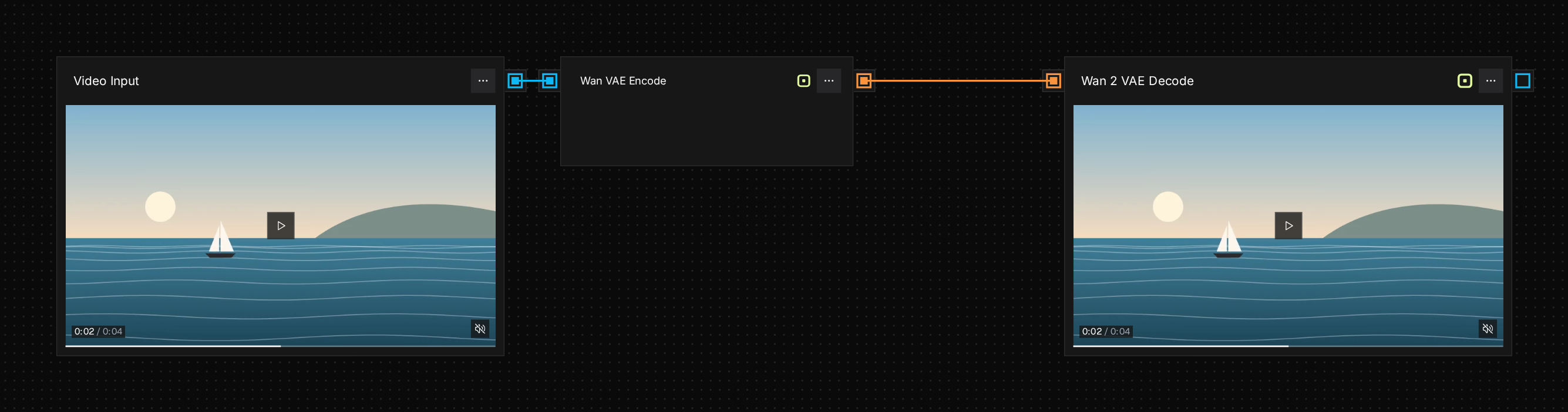
Wan VAE Encode used to pass a coastal clip through Wan's latent representation and back to video; the source and decoded result are illustrative.
Limits and compatibility
| Requirement | Limit |
|---|---|
| Input | RGB Video. Shared Video limits also apply. |
| Padded width and height | At most 4,096 pixels each. |
| Padded area | At most 4,194,304 pixels per frame. |
| Combined size | At most 344,064 sequence tokens, calculated from padded dimensions and frame count. |
| Output | A normalized Float32 Tensor shaped [16, T, H, W]. |
The combined-size check multiplies the width divided by 16, rounded up, by the height divided by 16, rounded up, by 1 + (frame count − 1) / 4. Use the padded dimensions and frame count. A large frame size leaves room for fewer frames, so there is no single maximum clip duration.
Padding counts toward these limits. A source that fits the area limit before padding can exceed it afterwards. The shared value-size and Run limits can restrict a Graph further.
The output is already normalized for Wan. Connect it directly to a compatible Wan latent input; an unrelated model's Tensor is not interchangeable just because both ports use the Tensor type.